ProjectZ 2026.10.24.5
dotnet add package ProjectZ --version 2026.10.24.5
NuGet\Install-Package ProjectZ -Version 2026.10.24.5
<PackageReference Include="ProjectZ" Version="2026.10.24.5" />
<PackageVersion Include="ProjectZ" Version="2026.10.24.5" />
<PackageReference Include="ProjectZ" />
paket add ProjectZ --version 2026.10.24.5
#r "nuget: ProjectZ, 2026.10.24.5"
#:package ProjectZ@2026.10.24.5
#addin nuget:?package=ProjectZ&version=2026.10.24.5
#tool nuget:?package=ProjectZ&version=2026.10.24.5

Project Z
Familiar XAML. Native graphics. Expressive desktop UI.
Build desktop tools, creative applications and game interfaces with a GPU-rendered scene system, native Windows integration and a WPF-inspired programming model.


Get started · See it in action · Documentation · Visual Studio templates
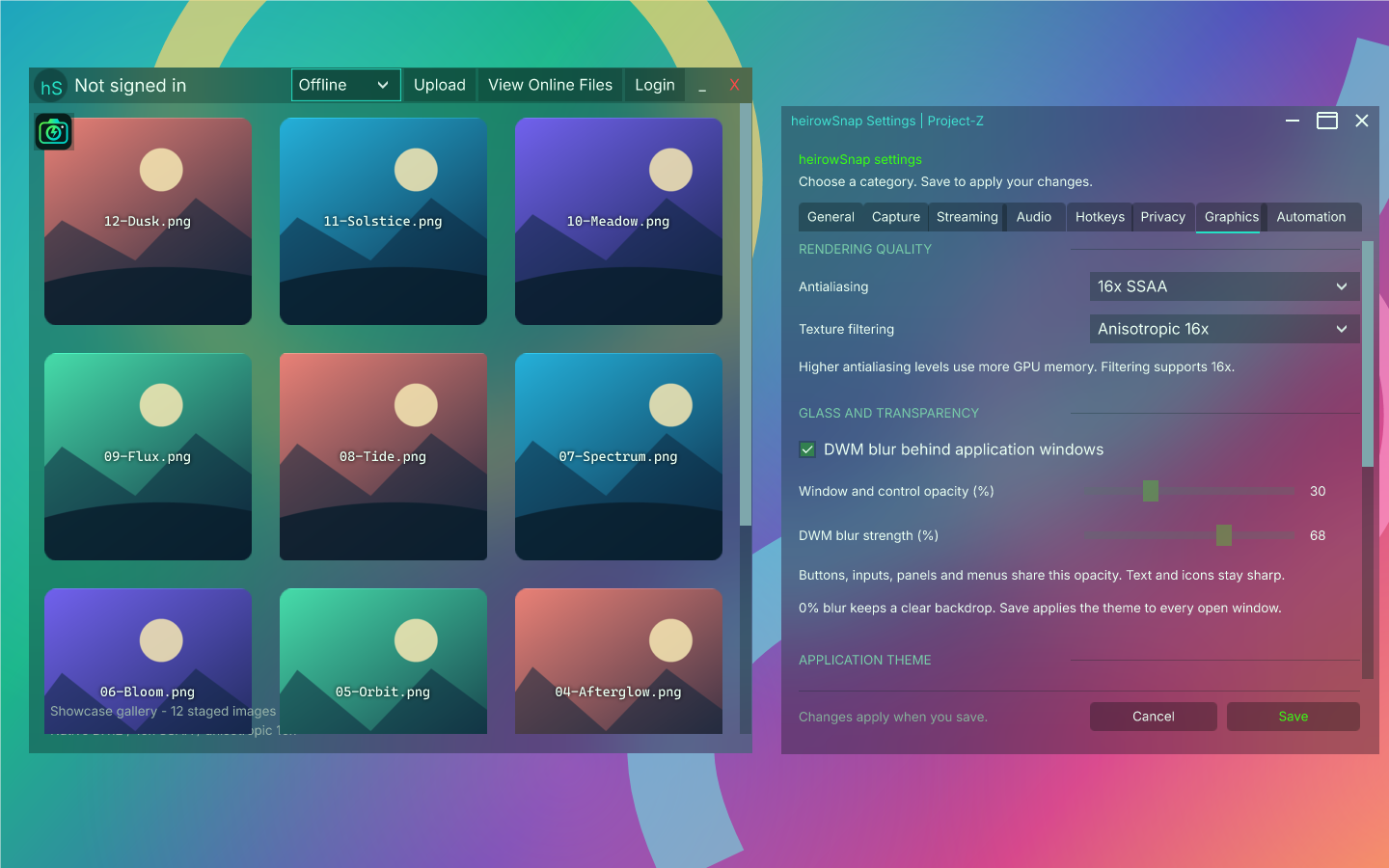
heirowSnap 26.10.64, built with Project Z. Native glass, sharp vector text and a shared application theme.
Get started
Add the framework to a Windows .NET 8 or .NET 10 project:
dotnet add package ProjectZ --version 2026.10.24.5
For a ready-to-run C# or Visual Basic starter, download the Visual Studio 2026 templates. Install the .NET desktop development workload and .NET 10 SDK, install the VSIX, then choose File → New → Project → Project-Z Desktop.
The templates offer DirectX 12, DirectX 11 and OpenGL configurations. The framework defaults to native DX12. Template setup and renderer selection.
heirowSnap built with Project Z
A native file gallery and Graphics panel share the same transparent theme. Watch the gallery scroll while a colorful desktop moves behind the windows, then explore the native Graphics controls.
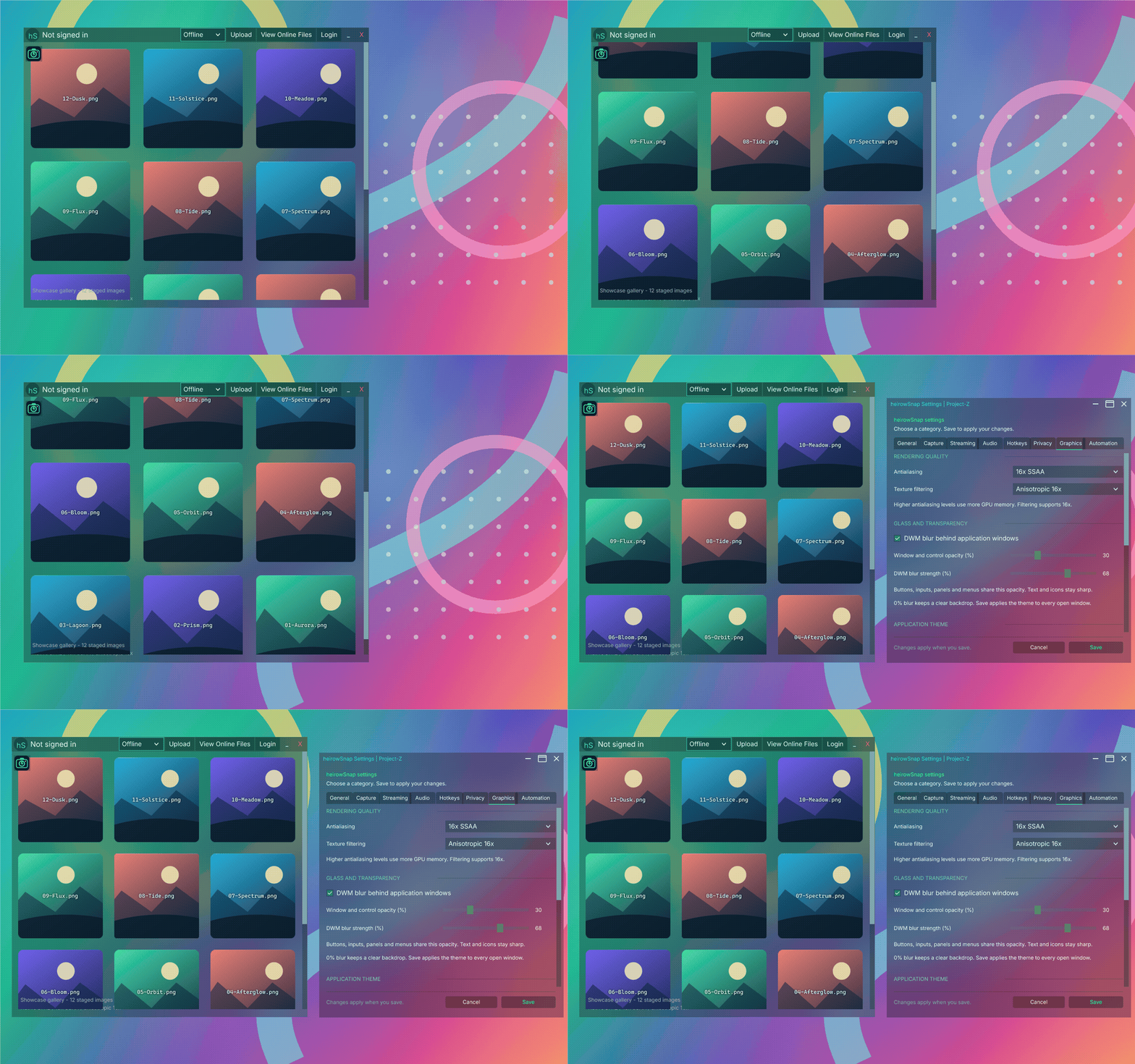
Captured from the installed 26.10.64 app with an offline profile, staged sample images, 16x SSAA and anisotropic 16x filtering. Full-size gallery · Capture details.
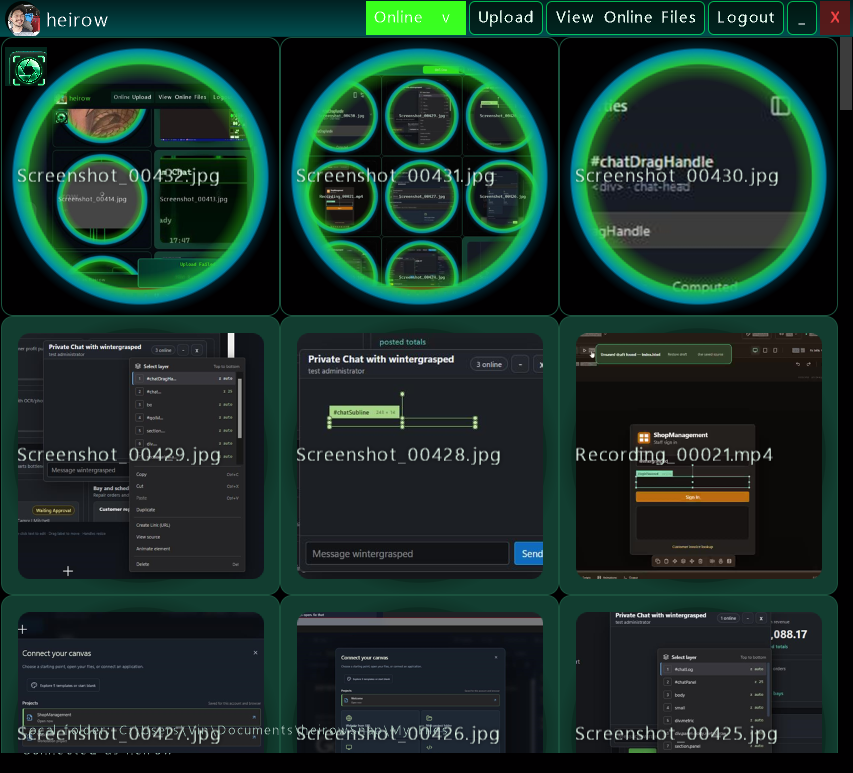
What you can build
| Capability | Included |
|---|---|
| Native rendering | DX12 scenes, reusable render targets, vector curves and configurable antialiasing. |
| XAML interfaces | Layout panels, resources, styles, C#/VB code-behind conversion and native scene generation. |
| Windows glass | DWM blur, background transparency, custom window chrome and shared tool windows. |
| Text and input | Compiled free vector fonts, system color emoji, selection, editable text, offline spelling and keyboard navigation. |
| Effects and motion | GPU blur, shadows, gradients, transforms, storyboards and input triggers. |
| Media and creative tools | Inline audio/video, 3D surfaces, an HTML5 host and separate VST/sample projects. |
The framework package includes native XAML code generation, the internal model importer and a self-contained diagnostics observer. The heirowSnap app, VST plugin and demos are separate projects.
Bring your XAML
Keep your markup, resources and C# or VB code together. Generate native scenes during the build, or import supported views explicitly. Existing manual ports can keep conversion disabled; original sources remain editable.
Native scene setup and examples · Build-time XAML conversion · Implementation guide
Build from source
dotnet restore "Project Z Windows.vbproj"
dotnet build "Project Z Windows.vbproj" -c Release -p:UseLocalSocketJack=false
The DX11 fallback is available with -p:ProjectZGraphicsBackend=DirectX11; use OpenGL for the OpenGL backend. Examples and solution projects.
Documentation
- Feature reference
- Native scene XAML and build-time conversion
- Visual Studio 2026 templates
- Offline spelling and custom dictionaries
- Selectable and read-only text
- Third-party notices
Current release
2026.10.24.5 preserves whole emoji, flags, skin tones and joined Unicode sequences when wrapping or adding ellipses. Modern emoji use the installed color face. Native window lookups are cached and handled exception snapshots write in the background, keeping periodic work out of the UI loop. Package versions.
Support
Support Project Z through optional GitHub sponsorship.
| Product | Versions Compatible and additional computed target framework versions. |
|---|---|
| .NET | net8.0-windows7.0 is compatible. net9.0-windows was computed. net10.0-windows was computed. |
-
net8.0-windows7.0
- LibTessDotNet (>= 1.1.15)
- Microsoft.Web.WebView2 (>= 1.0.3124.44)
- MonoGame.Framework.Native (>= 3.8.5.1)
- MonoGame.Runtime.Windows.DX12 (>= 3.8.5.1)
- Silk.NET.Assimp (>= 2.23.0)
- SocketJack (>= 2026.10.17.3)
NuGet packages (1)
Showing the top 1 NuGet packages that depend on ProjectZ:
| Package | Downloads |
|---|---|
|
heirowDebug.ProjectZ
Native Project-Z live inspection, editing, labeled timelines, change notifications, property hooks and bounded scene-thread sampling. |
GitHub repositories
This package is not used by any popular GitHub repositories.
| Version | Downloads | Last Updated |
|---|---|---|
| 2026.10.24.5 | 0 | 10/24/2026 |
| 2026.10.24.4 | 0 | 10/24/2026 |
| 2026.10.24.3 | 0 | 10/24/2026 |
| 2026.10.24.2 | 40 | 10/24/2026 |
| 2026.10.24.1 | 47 | 10/24/2026 |
| 2026.10.23.2 | 54 | 10/24/2026 |
| 2026.10.23.1 | 51 | 10/23/2026 |
| 2026.10.22.1 | 53 | 10/23/2026 |
| 2026.10.20.2 | 78 | 10/21/2026 |
| 2026.10.20.1 | 125 | 10/21/2026 |
| 2026.10.17.1 | 86 | 10/17/2026 |
| 2026.10.17 | 87 | 10/17/2026 |
| 2.8.2 | 100 | 10/3/2026 |
| 2.8.1 | 90 | 10/3/2026 |
| 2.8.0 | 88 | 10/3/2026 |
| 2.7.1 | 99 | 10/3/2026 |
| 2.7.0 | 86 | 10/3/2026 |
| 2.6.1 | 88 | 10/1/2026 |
| 2.6.0 | 90 | 10/1/2026 |
| 2.5.1 | 92 | 9/30/2026 |
2026.10.24.5 preserves complete Unicode graphemes during wrapping and trimming, shapes modern emoji with the installed color font, caches native HWND lookup, and moves handled exception snapshot writes off the UI thread.