VisioForge.DotNet.MediaPlayer
2026.11.25
dotnet add package VisioForge.DotNet.MediaPlayer --version 2026.11.25
NuGet\Install-Package VisioForge.DotNet.MediaPlayer -Version 2026.11.25
<PackageReference Include="VisioForge.DotNet.MediaPlayer" Version="2026.11.25" />
<PackageVersion Include="VisioForge.DotNet.MediaPlayer" Version="2026.11.25" />
<PackageReference Include="VisioForge.DotNet.MediaPlayer" />
paket add VisioForge.DotNet.MediaPlayer --version 2026.11.25
#r "nuget: VisioForge.DotNet.MediaPlayer, 2026.11.25"
#:package VisioForge.DotNet.MediaPlayer@2026.11.25
#addin nuget:?package=VisioForge.DotNet.MediaPlayer&version=2026.11.25
#tool nuget:?package=VisioForge.DotNet.MediaPlayer&version=2026.11.25
VisioForge Media Player SDK .Net NuGet package
Play video and audio files and network streams (RTSP, HTTP) in .NET apps on Windows, macOS, Linux, Android and iOS. Full walkthrough: Media Player SDK documentation.
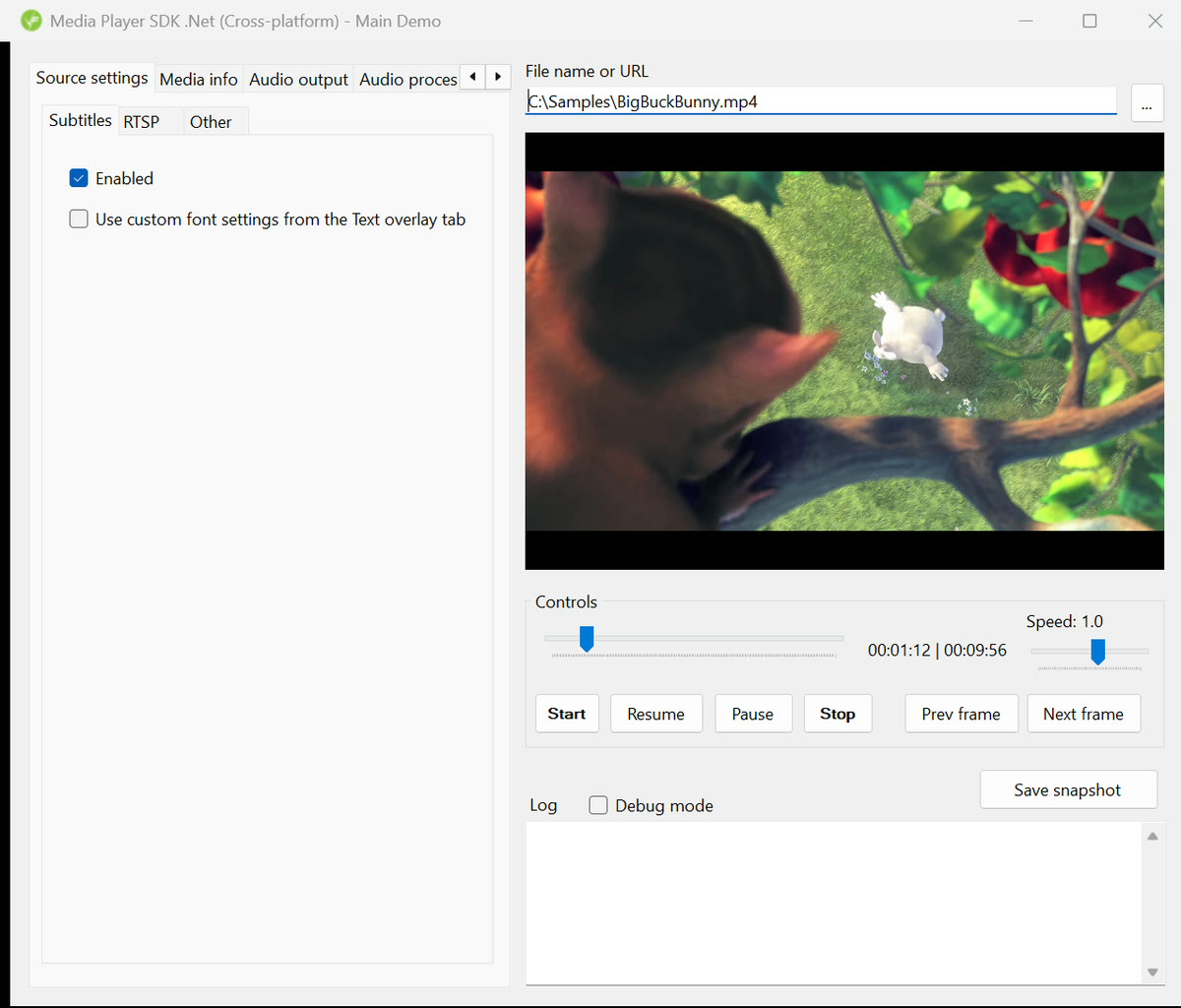
Video: Big Buck Bunny, © 2008 Blender Foundation, peach.blender.org, licensed under CC BY 3.0.
Quick start (WPF, Windows x64)
1. Install the packages
This package holds the managed API. The cross-platform engine, MediaPlayerCoreX, also needs the native runtime packages for your platform:
dotnet add package VisioForge.DotNet.MediaPlayer
dotnet add package VisioForge.CrossPlatform.Core.Windows.x64
dotnet add package VisioForge.CrossPlatform.Libav.Windows.x64
On macOS use VisioForge.CrossPlatform.Core.macOS instead of the two Windows packages. On Linux use VisioForge.CrossPlatform.Core.Linux.x64 (or VisioForge.CrossPlatform.Core.Linux.arm64) instead, and install the distribution's GStreamer 1.22+ packages (Ubuntu guide).
The cross-platform deployment guide lists every platform's packages.
The other UI frameworks (WinForms, MAUI, Avalonia, WinUI, Uno) are covered in the installation guide.
The Windows-only DirectShow engine, MediaPlayerCore, uses the VisioForge.DotNet.Core.Redist.* packages instead — see deployment.
2. Add a video view
<Window ...
        xmlns:vf="clr-namespace:VisioForge.Core.UI.WPF;assembly=VisioForge.Core">
    <vf:VideoView x:Name="VideoView1" Background="Black" />
</Window>
3. Play a video file
The using directives go at the top of MainWindow.xaml.cs; the rest runs from an async event handler, such as the window's Loaded event. When the stop lines run from another handler (a Stop button), keep player in a field. Call VisioForgeX.DestroySDK() once when the app exits, after every player has been stopped and disposed, for example in the window's Closed event.
using VisioForge.Core;
using VisioForge.Core.MediaPlayerX;

await VisioForgeX.InitSDKAsync();

var player = new MediaPlayerCoreX(VideoView1);

// With a purchased license, call SetLicenseCertificateAsync here (see "Trial and licensing")
if (!await player.OpenAsync(@"C:\Videos\video.mp4"))
{
    return; // the OnError event says why
}

await player.PlayAsync();
// ...
await player.StopAsync();
await player.DisposeAsync();
OpenAsync also takes a network address, such as an rtsp:// or https:// URL.
More
AI coding assistants
Connect your assistant to the VisioForge MCP server for API lookups, code examples and deployment guides:
claude mcp add --transport http visioforge-sdk https://mcp.visioforge.com/mcp
Other clients (Visual Studio, VS Code, Cursor): MCP server guide. The documentation is also on Context7 as /visioforge/help.
Trial and licensing
Without a license the SDK runs as a 30-day trial. Buy a license.
A purchase gives you a .vflicense certificate file, not a key. Load it into every player instance before OpenAsync(). The code below reads it from the app's folder: add your.vflicense to the project and set its Copy to Output Directory property in Visual Studio:
var licensePath = System.IO.Path.Combine(System.AppContext.BaseDirectory, "your.vflicense");
await player.SetLicenseCertificateAsync(System.IO.File.ReadAllBytes(licensePath));
See Licensing for details.
| Product | Versions Compatible and additional computed target framework versions. |
|---|---|
| .NET | net5.0 is compatible. net5.0-windows was computed. net5.0-windows7.0 is compatible. net6.0 is compatible. net6.0-android was computed. net6.0-ios was computed. net6.0-maccatalyst was computed. net6.0-macos was computed. net6.0-tvos was computed. net6.0-windows was computed. net6.0-windows7.0 is compatible. net7.0 is compatible. net7.0-android was computed. net7.0-ios was computed. net7.0-maccatalyst was computed. net7.0-macos was computed. net7.0-tvos was computed. net7.0-windows was computed. net7.0-windows7.0 is compatible. net7.0-windows10.0.19041 is compatible. net8.0 is compatible. net8.0-android was computed. net8.0-browser was computed. net8.0-ios was computed. net8.0-maccatalyst was computed. net8.0-macos was computed. net8.0-tvos was computed. net8.0-windows was computed. net8.0-windows7.0 is compatible. net8.0-windows10.0.19041 is compatible. net9.0 is compatible. net9.0-android was computed. net9.0-browser was computed. net9.0-ios was computed. net9.0-maccatalyst was computed. net9.0-macos was computed. net9.0-tvos was computed. net9.0-windows was computed. net9.0-windows7.0 is compatible. net9.0-windows10.0.19041 is compatible. net10.0 is compatible. net10.0-android was computed. net10.0-android36.0 is compatible. net10.0-browser was computed. net10.0-ios was computed. net10.0-ios26.0 is compatible. net10.0-maccatalyst was computed. net10.0-maccatalyst26.0 is compatible. net10.0-macos was computed. net10.0-macos26.0 is compatible. net10.0-tvos was computed. net10.0-windows was computed. net10.0-windows7.0 is compatible. net10.0-windows10.0.19041 is compatible. net11.0 is compatible. net11.0-android37.0 is compatible. net11.0-ios27.2 is compatible. net11.0-maccatalyst27.2 is compatible. net11.0-macos27.2 is compatible. net11.0-windows7.0 is compatible. net11.0-windows10.0.19041 is compatible. |
| .NET Core | netcoreapp3.1 is compatible. |
| .NET Framework | net461 is compatible. net462 was computed. net463 was computed. net47 was computed. net471 was computed. net472 is compatible. net48 was computed. net481 was computed. |
-
.NETCoreApp 3.1
- Serilog (>= 4.3.1)
- Serilog.Sinks.Debug (>= 3.0.0)
- Serilog.Sinks.File (>= 7.0.0)
- SkiaSharp (>= 3.119.4)
- SkiaSharp.NativeAssets.Linux (>= 3.119.4)
- System.Drawing.Common (>= 6.0.0)
- System.Formats.Asn1 (>= 6.0.1)
- System.Management (>= 6.0.2)
- System.Security.Cryptography.Pkcs (>= 6.0.5)
- System.Security.Cryptography.Xml (>= 6.0.2)
- System.ServiceModel.Http (>= 4.10.3)
- System.ServiceModel.Primitives (>= 4.10.3)
- System.Text.Encoding.CodePages (>= 6.0.1)
- System.Text.Json (>= 6.0.11)
- VisioForge.DotNet.Core (= 2026.11.25)
- VisioForge.Libs.External (= 2026.11.7)
-
.NETFramework 4.6.1
- NAudio.Core (>= 2.3.0)
- NAudio.Wasapi (>= 2.3.0)
- NAudio.WinMM (>= 2.3.0)
- Serilog (>= 4.3.1)
- Serilog.Sinks.Debug (>= 3.0.0)
- Serilog.Sinks.File (>= 7.0.0)
- SkiaSharp (>= 3.119.4)
- SkiaSharp.Views.Desktop.Common (>= 3.119.4)
- System.Buffers (>= 4.6.1)
- System.Drawing.Common (>= 6.0.0)
- System.Memory (>= 4.6.3)
- System.Runtime.CompilerServices.Unsafe (>= 6.1.2)
- System.Security.Cryptography.Pkcs (>= 6.0.5)
- System.Security.Cryptography.Xml (>= 6.0.2)
- System.ServiceModel.Http (>= 4.10.3)
- System.ServiceModel.Primitives (>= 4.10.3)
- System.Text.Json (>= 6.0.11)
- VisioForge.DotNet.Core (= 2026.11.25)
- VisioForge.Libs.External (= 2026.11.7)
-
.NETFramework 4.7.2
- NAudio.Core (>= 2.3.0)
- NAudio.Wasapi (>= 2.3.0)
- NAudio.WinMM (>= 2.3.0)
- Serilog (>= 4.3.1)
- Serilog.Sinks.Debug (>= 3.0.0)
- Serilog.Sinks.File (>= 7.0.0)
- SkiaSharp (>= 3.119.4)
- SkiaSharp.Views.Desktop.Common (>= 3.119.4)
- Svg.Skia (>= 5.1.1)
- System.Buffers (>= 4.6.1)
- System.Drawing.Common (>= 6.0.0)
- System.Formats.Asn1 (>= 10.0.13)
- System.Memory (>= 4.6.3)
- System.Numerics.Vectors (>= 4.6.1)
- System.Runtime.CompilerServices.Unsafe (>= 6.1.2)
- System.Security.Cryptography.Pkcs (>= 10.0.13)
- System.Security.Cryptography.Xml (>= 10.0.13)
- System.ServiceModel.Http (>= 4.10.3)
- System.ServiceModel.Primitives (>= 4.10.3)
- System.Text.Json (>= 6.0.11)
- VisioForge.DotNet.Core (= 2026.11.25)
- VisioForge.Libs.External (= 2026.11.7)
-
net10.0
- Serilog (>= 4.3.1)
- Serilog.Sinks.Debug (>= 3.0.0)
- Serilog.Sinks.File (>= 7.0.0)
- SkiaSharp (>= 3.119.4)
- SkiaSharp.NativeAssets.Linux (>= 3.119.4)
- System.Security.Cryptography.Pkcs (>= 10.0.13)
- System.Security.Cryptography.Xml (>= 10.0.13)
- System.ServiceModel.Http (>= 8.1.2)
- System.ServiceModel.Primitives (>= 8.1.2)
- System.Text.Encoding.CodePages (>= 10.0.6)
- VisioForge.DotNet.Core (= 2026.11.25)
- VisioForge.Libs.External (= 2026.11.7)
-
net10.0-android36.0
- Serilog (>= 4.3.1)
- Serilog.Sinks.Debug (>= 3.0.0)
- Serilog.Sinks.File (>= 7.0.0)
- SkiaSharp (>= 3.119.4)
- SkiaSharp.Views (>= 3.119.4)
- System.Security.Cryptography.Pkcs (>= 10.0.13)
- System.Security.Cryptography.Xml (>= 10.0.13)
- System.ServiceModel.Http (>= 8.1.2)
- System.ServiceModel.Primitives (>= 8.1.2)
- System.Text.Encoding.CodePages (>= 10.0.6)
- VisioForge.DotNet.Core (= 2026.11.25)
- VisioForge.Libs.External (= 2026.11.7)
-
net10.0-ios26.0
- Serilog (>= 4.3.1)
- Serilog.Sinks.Debug (>= 3.0.0)
- Serilog.Sinks.File (>= 7.0.0)
- SkiaSharp (>= 3.119.4)
- SkiaSharp.Views (>= 3.119.4)
- System.Security.Cryptography.Pkcs (>= 10.0.13)
- System.Security.Cryptography.Xml (>= 10.0.13)
- System.ServiceModel.Http (>= 8.1.2)
- System.ServiceModel.Primitives (>= 8.1.2)
- System.Text.Encoding.CodePages (>= 10.0.6)
- VisioForge.DotNet.Core (= 2026.11.25)
- VisioForge.Libs.External (= 2026.11.7)
-
net10.0-maccatalyst26.0
- Serilog (>= 4.3.1)
- Serilog.Sinks.Debug (>= 3.0.0)
- Serilog.Sinks.File (>= 7.0.0)
- SkiaSharp (>= 3.119.4)
- System.Security.Cryptography.Pkcs (>= 10.0.13)
- System.Security.Cryptography.Xml (>= 10.0.13)
- System.ServiceModel.Http (>= 8.1.2)
- System.ServiceModel.Primitives (>= 8.1.2)
- System.Text.Encoding.CodePages (>= 10.0.6)
- VisioForge.DotNet.Core (= 2026.11.25)
- VisioForge.Libs.External (= 2026.11.7)
-
net10.0-macos26.0
- Serilog (>= 4.3.1)
- Serilog.Sinks.Debug (>= 3.0.0)
- Serilog.Sinks.File (>= 7.0.0)
- SkiaSharp (>= 3.119.4)
- System.Security.Cryptography.Pkcs (>= 10.0.13)
- System.Security.Cryptography.Xml (>= 10.0.13)
- System.ServiceModel.Http (>= 8.1.2)
- System.ServiceModel.Primitives (>= 8.1.2)
- System.Text.Encoding.CodePages (>= 10.0.6)
- VisioForge.DotNet.Core (= 2026.11.25)
- VisioForge.Libs.External (= 2026.11.7)
-
net10.0-windows10.0.19041
- NAudio.Core (>= 2.3.0)
- NAudio.Wasapi (>= 2.3.0)
- NAudio.WinMM (>= 2.3.0)
- Serilog (>= 4.3.1)
- Serilog.Sinks.Debug (>= 3.0.0)
- Serilog.Sinks.File (>= 7.0.0)
- SkiaSharp (>= 3.119.4)
- SkiaSharp.Views.Desktop.Common (>= 3.119.4)
- Svg.Skia (>= 5.1.1)
- System.Drawing.Common (>= 10.0.6)
- System.Management (>= 10.0.6)
- System.Security.Cryptography.Pkcs (>= 10.0.13)
- System.Security.Cryptography.Xml (>= 10.0.13)
- System.ServiceModel.Http (>= 8.1.2)
- System.ServiceModel.Primitives (>= 8.1.2)
- System.Text.Encoding.CodePages (>= 10.0.6)
- VisioForge.DotNet.Core (= 2026.11.25)
- VisioForge.Libs.External (= 2026.11.7)
-
net10.0-windows7.0
- NAudio.Core (>= 2.3.0)
- NAudio.Wasapi (>= 2.3.0)
- NAudio.WinMM (>= 2.3.0)
- Serilog (>= 4.3.1)
- Serilog.Sinks.Debug (>= 3.0.0)
- Serilog.Sinks.File (>= 7.0.0)
- SkiaSharp (>= 3.119.4)
- SkiaSharp.Views.Desktop.Common (>= 3.119.4)
- Svg.Skia (>= 5.1.1)
- System.Drawing.Common (>= 10.0.6)
- System.Management (>= 10.0.6)
- System.Security.Cryptography.Pkcs (>= 10.0.13)
- System.Security.Cryptography.Xml (>= 10.0.13)
- System.ServiceModel.Http (>= 8.1.2)
- System.ServiceModel.Primitives (>= 8.1.2)
- System.Text.Encoding.CodePages (>= 10.0.6)
- VisioForge.DotNet.Core (= 2026.11.25)
- VisioForge.Libs.External (= 2026.11.7)
-
net11.0
- Serilog (>= 4.3.1)
- Serilog.Sinks.Debug (>= 3.0.0)
- Serilog.Sinks.File (>= 7.0.0)
- SkiaSharp (>= 3.119.4)
- SkiaSharp.NativeAssets.Linux (>= 3.119.4)
- System.Security.Cryptography.Pkcs (>= 10.0.13)
- System.Security.Cryptography.Xml (>= 10.0.13)
- System.ServiceModel.Http (>= 8.1.2)
- System.ServiceModel.Primitives (>= 8.1.2)
- System.Text.Encoding.CodePages (>= 10.0.6)
- VisioForge.DotNet.Core (= 2026.11.25)
- VisioForge.Libs.External (= 2026.11.7)
-
net11.0-android37.0
- Serilog (>= 4.3.1)
- Serilog.Sinks.Debug (>= 3.0.0)
- Serilog.Sinks.File (>= 7.0.0)
- SkiaSharp (>= 3.119.4)
- SkiaSharp.Views (>= 3.119.4)
- System.Security.Cryptography.Pkcs (>= 10.0.13)
- System.Security.Cryptography.Xml (>= 10.0.13)
- System.ServiceModel.Http (>= 8.1.2)
- System.ServiceModel.Primitives (>= 8.1.2)
- System.Text.Encoding.CodePages (>= 10.0.6)
- VisioForge.DotNet.Core (= 2026.11.25)
- VisioForge.Libs.External (= 2026.11.7)
-
net11.0-ios27.2
- Serilog (>= 4.3.1)
- Serilog.Sinks.Debug (>= 3.0.0)
- Serilog.Sinks.File (>= 7.0.0)
- SkiaSharp (>= 3.119.4)
- SkiaSharp.NativeAssets.iOS (>= 3.119.4)
- SkiaSharp.Views (>= 3.119.4)
- System.Security.Cryptography.Pkcs (>= 10.0.13)
- System.Security.Cryptography.Xml (>= 10.0.13)
- System.ServiceModel.Http (>= 8.1.2)
- System.ServiceModel.Primitives (>= 8.1.2)
- System.Text.Encoding.CodePages (>= 10.0.6)
- VisioForge.DotNet.Core (= 2026.11.25)
- VisioForge.Libs.External (= 2026.11.7)
-
net11.0-maccatalyst27.2
- Serilog (>= 4.3.1)
- Serilog.Sinks.Debug (>= 3.0.0)
- Serilog.Sinks.File (>= 7.0.0)
- SkiaSharp (>= 3.119.4)
- System.Security.Cryptography.Pkcs (>= 10.0.13)
- System.Security.Cryptography.Xml (>= 10.0.13)
- System.ServiceModel.Http (>= 8.1.2)
- System.ServiceModel.Primitives (>= 8.1.2)
- System.Text.Encoding.CodePages (>= 10.0.6)
- VisioForge.DotNet.Core (= 2026.11.25)
- VisioForge.Libs.External (= 2026.11.7)
-
net11.0-macos27.2
- Serilog (>= 4.3.1)
- Serilog.Sinks.Debug (>= 3.0.0)
- Serilog.Sinks.File (>= 7.0.0)
- SkiaSharp (>= 3.119.4)
- System.Security.Cryptography.Pkcs (>= 10.0.13)
- System.Security.Cryptography.Xml (>= 10.0.13)
- System.ServiceModel.Http (>= 8.1.2)
- System.ServiceModel.Primitives (>= 8.1.2)
- System.Text.Encoding.CodePages (>= 10.0.6)
- VisioForge.DotNet.Core (= 2026.11.25)
- VisioForge.Libs.External (= 2026.11.7)
-
net11.0-windows10.0.19041
- NAudio.Core (>= 2.3.0)
- NAudio.Wasapi (>= 2.3.0)
- NAudio.WinMM (>= 2.3.0)
- Serilog (>= 4.3.1)
- Serilog.Sinks.Debug (>= 3.0.0)
- Serilog.Sinks.File (>= 7.0.0)
- SkiaSharp (>= 3.119.4)
- SkiaSharp.Views.Desktop.Common (>= 3.119.4)
- Svg.Skia (>= 5.1.1)
- System.Drawing.Common (>= 10.0.6)
- System.Management (>= 10.0.6)
- System.Security.Cryptography.Pkcs (>= 10.0.13)
- System.Security.Cryptography.Xml (>= 10.0.13)
- System.ServiceModel.Http (>= 8.1.2)
- System.ServiceModel.Primitives (>= 8.1.2)
- System.Text.Encoding.CodePages (>= 10.0.6)
- VisioForge.DotNet.Core (= 2026.11.25)
- VisioForge.Libs.External (= 2026.11.7)
-
net11.0-windows7.0
- NAudio.Core (>= 2.3.0)
- NAudio.Wasapi (>= 2.3.0)
- NAudio.WinMM (>= 2.3.0)
- Serilog (>= 4.3.1)
- Serilog.Sinks.Debug (>= 3.0.0)
- Serilog.Sinks.File (>= 7.0.0)
- SkiaSharp (>= 3.119.4)
- SkiaSharp.Views.Desktop.Common (>= 3.119.4)
- Svg.Skia (>= 5.1.1)
- System.Drawing.Common (>= 10.0.6)
- System.Management (>= 10.0.6)
- System.Security.Cryptography.Pkcs (>= 10.0.13)
- System.Security.Cryptography.Xml (>= 10.0.13)
- System.ServiceModel.Http (>= 8.1.2)
- System.ServiceModel.Primitives (>= 8.1.2)
- System.Text.Encoding.CodePages (>= 10.0.6)
- VisioForge.DotNet.Core (= 2026.11.25)
- VisioForge.Libs.External (= 2026.11.7)
-
net5.0
- Serilog (>= 4.3.1)
- Serilog.Sinks.Debug (>= 3.0.0)
- Serilog.Sinks.File (>= 7.0.0)
- SkiaSharp (>= 3.119.4)
- SkiaSharp.NativeAssets.Linux (>= 3.119.4)
- System.Formats.Asn1 (>= 6.0.1)
- System.Security.Cryptography.Pkcs (>= 6.0.5)
- System.Security.Cryptography.Xml (>= 6.0.2)
- System.ServiceModel.Http (>= 4.10.3)
- System.ServiceModel.Primitives (>= 4.10.3)
- System.Text.Encoding.CodePages (>= 6.0.1)
- System.Text.Json (>= 6.0.11)
- VisioForge.DotNet.Core (= 2026.11.25)
- VisioForge.Libs.External (= 2026.11.7)
-
net5.0-windows7.0
- NAudio.Core (>= 2.3.0)
- NAudio.Wasapi (>= 2.3.0)
- NAudio.WinMM (>= 2.3.0)
- Serilog (>= 4.3.1)
- Serilog.Sinks.Debug (>= 3.0.0)
- Serilog.Sinks.File (>= 7.0.0)
- SkiaSharp (>= 3.119.4)
- SkiaSharp.Views.Desktop.Common (>= 3.119.4)
- Svg.Skia (>= 5.1.1)
- System.Drawing.Common (>= 6.0.0)
- System.Formats.Asn1 (>= 6.0.1)
- System.Management (>= 6.0.2)
- System.Security.Cryptography.Pkcs (>= 6.0.5)
- System.Security.Cryptography.Xml (>= 6.0.2)
- System.ServiceModel.Http (>= 4.10.3)
- System.ServiceModel.Primitives (>= 4.10.3)
- System.Text.Encoding.CodePages (>= 6.0.1)
- System.Text.Json (>= 6.0.11)
- VisioForge.DotNet.Core (= 2026.11.25)
- VisioForge.Libs.External (= 2026.11.7)
-
net6.0
- Serilog (>= 4.3.1)
- Serilog.Sinks.Debug (>= 3.0.0)
- Serilog.Sinks.File (>= 7.0.0)
- SkiaSharp (>= 3.119.4)
- SkiaSharp.NativeAssets.Linux (>= 3.119.4)
- System.Formats.Asn1 (>= 8.0.2)
- System.Security.Cryptography.Pkcs (>= 8.0.2)
- System.Security.Cryptography.Xml (>= 8.0.5)
- System.ServiceModel.Http (>= 6.2.0)
- System.ServiceModel.Primitives (>= 6.2.0)
- System.Text.Encoding.CodePages (>= 8.0.0)
- VisioForge.DotNet.Core (= 2026.11.25)
- VisioForge.Libs.External (= 2026.11.7)
-
net6.0-windows7.0
- NAudio.Core (>= 2.3.0)
- NAudio.Wasapi (>= 2.3.0)
- NAudio.WinMM (>= 2.3.0)
- Serilog (>= 4.3.1)
- Serilog.Sinks.Debug (>= 3.0.0)
- Serilog.Sinks.File (>= 7.0.0)
- SkiaSharp (>= 3.119.4)
- SkiaSharp.Views.Desktop.Common (>= 3.119.4)
- Svg.Skia (>= 5.1.1)
- System.Drawing.Common (>= 6.0.0)
- System.Formats.Asn1 (>= 8.0.2)
- System.Management (>= 6.0.2)
- System.Security.Cryptography.Pkcs (>= 8.0.2)
- System.Security.Cryptography.Xml (>= 8.0.5)
- System.ServiceModel.Http (>= 6.2.0)
- System.ServiceModel.Primitives (>= 6.2.0)
- System.Text.Encoding.CodePages (>= 8.0.0)
- VisioForge.DotNet.Core (= 2026.11.25)
- VisioForge.Libs.External (= 2026.11.7)
-
net7.0
- Serilog (>= 4.3.1)
- Serilog.Sinks.Debug (>= 3.0.0)
- Serilog.Sinks.File (>= 7.0.0)
- SkiaSharp (>= 3.119.4)
- SkiaSharp.NativeAssets.Linux (>= 3.119.4)
- System.Formats.Asn1 (>= 8.0.2)
- System.Security.Cryptography.Pkcs (>= 8.0.2)
- System.Security.Cryptography.Xml (>= 8.0.5)
- System.ServiceModel.Http (>= 6.2.0)
- System.ServiceModel.Primitives (>= 6.2.0)
- System.Text.Encoding.CodePages (>= 8.0.0)
- VisioForge.DotNet.Core (= 2026.11.25)
- VisioForge.Libs.External (= 2026.11.7)
-
net7.0-windows10.0.19041
- NAudio.Core (>= 2.3.0)
- NAudio.Wasapi (>= 2.3.0)
- NAudio.WinMM (>= 2.3.0)
- Serilog (>= 4.3.1)
- Serilog.Sinks.Debug (>= 3.0.0)
- Serilog.Sinks.File (>= 7.0.0)
- SkiaSharp (>= 3.119.4)
- SkiaSharp.Views.Desktop.Common (>= 3.119.4)
- Svg.Skia (>= 5.1.1)
- System.Drawing.Common (>= 8.0.26)
- System.Formats.Asn1 (>= 8.0.2)
- System.Management (>= 8.0.0)
- System.Security.Cryptography.Pkcs (>= 8.0.2)
- System.Security.Cryptography.Xml (>= 8.0.5)
- System.ServiceModel.Http (>= 6.2.0)
- System.ServiceModel.Primitives (>= 6.2.0)
- System.Text.Encoding.CodePages (>= 8.0.0)
- VisioForge.DotNet.Core (= 2026.11.25)
- VisioForge.Libs.External (= 2026.11.7)
-
net7.0-windows7.0
- NAudio.Core (>= 2.3.0)
- NAudio.Wasapi (>= 2.3.0)
- NAudio.WinMM (>= 2.3.0)
- Serilog (>= 4.3.1)
- Serilog.Sinks.Debug (>= 3.0.0)
- Serilog.Sinks.File (>= 7.0.0)
- SkiaSharp (>= 3.119.4)
- SkiaSharp.Views.Desktop.Common (>= 3.119.4)
- Svg.Skia (>= 5.1.1)
- System.Drawing.Common (>= 8.0.26)
- System.Formats.Asn1 (>= 8.0.2)
- System.Management (>= 8.0.0)
- System.Security.Cryptography.Pkcs (>= 8.0.2)
- System.Security.Cryptography.Xml (>= 8.0.5)
- System.ServiceModel.Http (>= 6.2.0)
- System.ServiceModel.Primitives (>= 6.2.0)
- System.Text.Encoding.CodePages (>= 8.0.0)
- VisioForge.DotNet.Core (= 2026.11.25)
- VisioForge.Libs.External (= 2026.11.7)
-
net8.0
- Serilog (>= 4.3.1)
- Serilog.Sinks.Debug (>= 3.0.0)
- Serilog.Sinks.File (>= 7.0.0)
- SkiaSharp (>= 3.119.4)
- SkiaSharp.NativeAssets.Linux (>= 3.119.4)
- System.Security.Cryptography.Pkcs (>= 8.0.2)
- System.Security.Cryptography.Xml (>= 8.0.5)
- System.ServiceModel.Http (>= 8.1.2)
- System.ServiceModel.Primitives (>= 8.1.2)
- System.Text.Encoding.CodePages (>= 10.0.6)
- VisioForge.DotNet.Core (= 2026.11.25)
- VisioForge.Libs.External (= 2026.11.7)
-
net8.0-windows10.0.19041
- NAudio.Core (>= 2.3.0)
- NAudio.Wasapi (>= 2.3.0)
- NAudio.WinMM (>= 2.3.0)
- Serilog (>= 4.3.1)
- Serilog.Sinks.Debug (>= 3.0.0)
- Serilog.Sinks.File (>= 7.0.0)
- SkiaSharp (>= 3.119.4)
- SkiaSharp.Views.Desktop.Common (>= 3.119.4)
- Svg.Skia (>= 5.1.1)
- System.Drawing.Common (>= 8.0.26)
- System.Management (>= 8.0.0)
- System.Security.Cryptography.Pkcs (>= 8.0.2)
- System.Security.Cryptography.Xml (>= 8.0.5)
- System.ServiceModel.Http (>= 8.1.2)
- System.ServiceModel.Primitives (>= 8.1.2)
- System.Text.Encoding.CodePages (>= 10.0.6)
- VisioForge.DotNet.Core (= 2026.11.25)
- VisioForge.Libs.External (= 2026.11.7)
-
net8.0-windows7.0
- NAudio.Core (>= 2.3.0)
- NAudio.Wasapi (>= 2.3.0)
- NAudio.WinMM (>= 2.3.0)
- Serilog (>= 4.3.1)
- Serilog.Sinks.Debug (>= 3.0.0)
- Serilog.Sinks.File (>= 7.0.0)
- SkiaSharp (>= 3.119.4)
- SkiaSharp.Views.Desktop.Common (>= 3.119.4)
- Svg.Skia (>= 5.1.1)
- System.Drawing.Common (>= 8.0.26)
- System.Management (>= 8.0.0)
- System.Security.Cryptography.Pkcs (>= 8.0.2)
- System.Security.Cryptography.Xml (>= 8.0.5)
- System.ServiceModel.Http (>= 8.1.2)
- System.ServiceModel.Primitives (>= 8.1.2)
- System.Text.Encoding.CodePages (>= 10.0.6)
- VisioForge.DotNet.Core (= 2026.11.25)
- VisioForge.Libs.External (= 2026.11.7)
-
net9.0
- Serilog (>= 4.3.1)
- Serilog.Sinks.Debug (>= 3.0.0)
- Serilog.Sinks.File (>= 7.0.0)
- SkiaSharp (>= 3.119.4)
- SkiaSharp.NativeAssets.Linux (>= 3.119.4)
- System.Security.Cryptography.Pkcs (>= 9.0.21)
- System.Security.Cryptography.Xml (>= 9.0.21)
- System.ServiceModel.Http (>= 8.1.2)
- System.ServiceModel.Primitives (>= 8.1.2)
- System.Text.Encoding.CodePages (>= 10.0.6)
- VisioForge.DotNet.Core (= 2026.11.25)
- VisioForge.Libs.External (= 2026.11.7)
-
net9.0-windows10.0.19041
- NAudio.Core (>= 2.3.0)
- NAudio.Wasapi (>= 2.3.0)
- NAudio.WinMM (>= 2.3.0)
- Serilog (>= 4.3.1)
- Serilog.Sinks.Debug (>= 3.0.0)
- Serilog.Sinks.File (>= 7.0.0)
- SkiaSharp (>= 3.119.4)
- SkiaSharp.Views.Desktop.Common (>= 3.119.4)
- Svg.Skia (>= 5.1.1)
- System.Drawing.Common (>= 9.0.15)
- System.Management (>= 8.0.0)
- System.Security.Cryptography.Pkcs (>= 9.0.21)
- System.Security.Cryptography.Xml (>= 9.0.21)
- System.ServiceModel.Http (>= 8.1.2)
- System.ServiceModel.Primitives (>= 8.1.2)
- System.Text.Encoding.CodePages (>= 10.0.6)
- VisioForge.DotNet.Core (= 2026.11.25)
- VisioForge.Libs.External (= 2026.11.7)
-
net9.0-windows7.0
- NAudio.Core (>= 2.3.0)
- NAudio.Wasapi (>= 2.3.0)
- NAudio.WinMM (>= 2.3.0)
- Serilog (>= 4.3.1)
- Serilog.Sinks.Debug (>= 3.0.0)
- Serilog.Sinks.File (>= 7.0.0)
- SkiaSharp (>= 3.119.4)
- SkiaSharp.Views.Desktop.Common (>= 3.119.4)
- Svg.Skia (>= 5.1.1)
- System.Drawing.Common (>= 9.0.15)
- System.Management (>= 8.0.0)
- System.Security.Cryptography.Pkcs (>= 9.0.21)
- System.Security.Cryptography.Xml (>= 9.0.21)
- System.ServiceModel.Http (>= 8.1.2)
- System.ServiceModel.Primitives (>= 8.1.2)
- System.Text.Encoding.CodePages (>= 10.0.6)
- VisioForge.DotNet.Core (= 2026.11.25)
- VisioForge.Libs.External (= 2026.11.7)
NuGet packages
This package is not used by any NuGet packages.
GitHub repositories
This package is not used by any popular GitHub repositories.
| Version | Downloads | Last Updated |
|---|---|---|
| 2026.11.25 | 54 | 11/25/2026 |
| 2026.11.23 | 135 | 11/23/2026 |
| 2026.11.21 | 127 | 11/22/2026 |
| 2026.11.20 | 129 | 11/20/2026 |
| 2026.11.16 | 137 | 11/16/2026 |
| 2026.11.13 | 172 | 11/13/2026 |
| 2026.11.12 | 154 | 11/12/2026 |
| 2026.11.6 | 277 | 11/6/2026 |
| 2026.10.28 | 307 | 10/29/2026 |
| 2026.10.26 | 121 | 10/26/2026 |
| 2026.10.20 | 175 | 10/20/2026 |
| 2026.10.15 | 141 | 10/15/2026 |
| 2026.10.14 | 127 | 10/14/2026 |
| 2026.10.10 | 139 | 10/10/2026 |
| 2026.10.9 | 120 | 10/9/2026 |
| 2026.10.6 | 181 | 10/6/2026 |
| 2026.10.2 | 145 | 10/2/2026 |
| 2026.10.1 | 128 | 10/1/2026 |
| 2026.9.22 | 156 | 9/22/2026 |
| 2026.9.17 | 158 | 9/17/2026 |
* [ALL] Changed: the DirectShow filter and SDK installers, the Delphi and ActiveX All-in-One installers, the macOS package and the Unity package now send the same short install report as the Windows .NET SDK installer: the outcome, the product, its version and whether it was a first install or an upgrade. Turn it off with `INSTALLREPORT=0` for a Windows installer, the file `/Users/Shared/VisioForge/no-install-report` on macOS, or `VISIOFORGE_INSTALLREPORT=0` for Unity. The redist installers and NuGet packages send nothing.
* [Android] Fixed: the hardware HEVC encoder listed High tier levels for codecs that support only Main tier, so the stream caps it reported did not match what the codec wrote.
* [Core] Fixed: `MediaInfoReaderX.GetFileSnapshotRGB`, `GetFileSnapshotSKBitmap` and `GetFileSnapshotBitmap` with a position past the end of the file now return no frame at once instead of after the whole timeout.
* [Demos] Added: `ARM64 Player Demo`, a Media Blocks SDK .NET WinForms file player built as a native Windows on Arm app, with a readme on the ARM64 packaging traps.
* [Demos] Added: six console samples from the video shorts - `extract-frames-short-console`, `cut-video-short-console`, `udp-mpegts-short-console`, `audio-capture-short-console`, `hls-webcam-short-console` and `pre-event-short-console`.
* [Media Blocks SDK .NET] [Media Player SDK .NET] [Video Capture SDK .NET] [Video Edit SDK .NET] Added: `VideoRendererSettingsX.KeepLastFrame` (and `VideoRendererBlock.KeepLastFrame`) keeps the last frame on the view after the end of the media and after Stop instead of clearing it, on every view and platform of the X engines and Media Blocks; while stopped, `VideoRendererBlock.Snapshot_Get` returns that frame. The default is `false`, as before.
* [Media Blocks SDK .NET] Changed: with `AudioEnabled` off, `RTSPSourceBlock` has no `AudioOutput` (`null`) and `RTSPSourceSettings.IsAudioAvailable()` returns `false`; a pipeline that connected that output used to never start.
* [Media Blocks SDK .NET] Changed: `FallbackSwitchSourceBlock.GetStatistics()` could crash the application with an access violation, most often after the main source restarted; its values are now plain numbers instead of `GLib.Value` objects, and `GetStatus()` returns the state by name (`Stopped`, `Buffering`, `Retrying`, `Running`) instead of a number.
* [Media Blocks SDK .NET] [Video Capture SDK .NET] Fixed: on Windows, `DeviceEnumerator.VideoSourcesAsync()` could return no cameras, or leave one out now and then, mostly in virtual machines with USB passthrough; the cameras are now listed, and when none can be, a warning names the cause.
* [Media Blocks SDK .NET] [Media Player SDK .NET] [Video Capture SDK .NET] Fixed: an H.264 or H.265 RTSP source that joined a camera stream between key frames showed and recorded grey or black pictures until the next key frame; it now starts with the first key frame and asks the camera for one on start.
* [Media Blocks SDK .NET] [Media Player SDK .NET] [Core] Fixed: several `Position_SetAsync` calls in a row (`MediaBlocksPipeline`, `MediaPlayerCoreX`, `SimplePlayerCoreX`, and `MediaPlayerCore.Position_Set_TimeAsync`), such as a dragged seek bar, could leave playback at an earlier position; the last one requested now always wins.
* [Media Blocks SDK .NET] Fixed: `VideoRendererBlock.Snapshot_Get` returned `null` on a WPF `VideoView` and with `autovideosink` (the native view on Linux); it now returns the frame on screen.
* [Media Blocks SDK .NET] [Video Edit SDK .NET] Fixed: the HEVC `Profile` of the NVENC, Quick Sync, Media Foundation and VA-API encoder settings was ignored by `VideoEditCoreX` (always Main), and `HEVCEncoderBlock` with `Main10` or `Main444` failed to start; the requested profile is now written, and a profile the encoder cannot produce fails the start. A 10-bit source with the default Main profile is now written as 8-bit; set `Profile = Main10` to keep 10 bits.
* [Media Blocks SDK .NET] [Video Edit SDK .NET] Fixed: `VAAPIH264EncoderSettings.Profile` was ignored (always High); it now applies, and its default is `High`, so output that never set it stays the same.
* [Media Player SDK .NET] Added: `MediaPlayerCore` with `Source_Mode = Memory_DS` and `MediaInfoReader.GetStreamAvailabilityFromMemoryStream` work without LAV Filters installed, including streams that cannot seek (played start to end).
* [Media Player SDK .NET] Changed: Blu-ray playback (`MediaPlayerSourceMode.BluRay`) and `MediaInfoReader.ReadBluRayInfo` no longer use LAV Filters: they play the largest `.m2ts` of the disc with the FFMPEG Source and need the `VisioForge.DotNet.Core.Redist.FFMPEG` package. ISO images, playlist files, multi-clip titles, menus and encrypted discs are no longer supported and fail with `OnError` naming the reason.
* [Media Player SDK .NET] Fixed: encrypted file playback (`Encrypted_File_DS`) could crash the application, most often with `Audio_Channel_Mapper`, and failed with "Unable to create corresponding decryptor" in a NuGet-only install; both work now.
* [Media Player SDK .NET] Fixed: `Multiple_Video_Streams_Mappings_Add` could not play an AVI with several video streams ("Video stream 0 not found").
* [Media Player SDK .NET] Fixed: with `ConsoleUsage = true`, a failure mid-stream raised no `OnError` and moved to the next playlist file, closing the renderer window left `Play()` waiting forever, and `Loop` was ignored; all three now behave as without `ConsoleUsage`.
* [Video Capture SDK .NET] Fixed: `VideoCaptureCoreX.StartAsync` never returned for an RTSP or ONVIF camera with audio opened with `audioEnabled: false` while `Audio_Play` was on (the default); a regression of 2026.11.20.
* [Video Capture SDK .NET] Fixed: `VideoCaptureCore` Desktop Duplication screen capture kept recording the old area after `Screen_Capture_UpdateParameters` moved it while nothing on the screen changed.
* [Video Capture SDK .NET] [Media Player SDK .NET] [Video Edit SDK .NET] Added: in native Windows ARM64 apps, the video effects and frame events, picture-in-picture, audio mixing and enhancement, the WASAPI audio renderer and Desktop Duplication screen capture now work (`VisioForge.DotNet.Core.Redist.Base.arm64`).
* [Video Capture SDK .NET] [Media Player SDK .NET] [Video Edit SDK .NET] Fixed: DirectShow filters could fail to load - with "Unable to load filter module" (0x7F) on a computer that also has an older VisioForge product installed, and (0x7E) from a custom redist folder added with `CustomRedist.AddPath`; the SDK now loads its own redist libraries in both cases.
* [Video Capture SDK .NET] [Media Player SDK .NET] [Video Edit SDK .NET] Fixed: `Audio_Channel_Mapper` mapping a multichannel source to fewer channels, such as 5.1 to stereo, played no audio ("Unable to connect audio renderer").
* [Video Capture SDK .NET] [Media Player SDK .NET] [Video Edit SDK .NET] Fixed: the FFMPEG Source could crash the application or play distorted sound when the audio changed its channels mid-stream, such as AC-3 going from 5.1 to stereo.
* [Video Capture SDK .NET] [Media Player SDK .NET] [Video Edit SDK .NET] Fixed: encryption with a missing key (`MP4Output.Encryption`, `FastEncrypt_Start`, playback of an encrypted file) now fails with an error naming the missing key, a wrong key fails playback with an error, and a key that does not match `Encryption_KeyType` is refused; before, `FastEncrypt_Start` showed a password window and wrote an empty file, and a `byte[]` key with the default key type encrypted with the password "System.Byte[]".
* [Video Edit SDK .NET] Changed: `VideoEditCore.Start()` with `ConsoleUsage = true` and `Mode = Preview` now raises `OnError` and returns `false`; a console app has no view for the preview.
* [Video Edit SDK .NET] Fixed: `VideoEditCore` could not open a video with more than two audio channels, such as an MP4 with 5.1 AC-3, without LAV Filters; such audio is now mixed down to stereo.
* [Video Edit SDK .NET] Fixed: the `VideoEditCore` preview of a timeline with audio froze after repeated seeking, and `Position_Get` and `StopAsync` no longer returned.
* [Video Edit SDK .NET] Fixed: `VideoEditCore` reported a conversion that failed mid-stream as successful and wrote tags into the truncated file; it now raises `OnError` and stops with `Successful = false`.
* [Video Edit SDK .NET] Fixed: `VideoEditCoreX` ignored the H.264 `Profile` and `Level` of the encoder settings (`OpenH264EncoderSettings` with `High` produced Constrained Baseline); the profile now applies for every encoder and the level for OpenH264, and `SmartRender` re-encodes a segment whose profile does not match.
* [Windows] Added: the FFMPEG Source DirectShow module holds two more filters, VisioForge FFMPEG Video Decoder (MJPEG, H.264, HEVC, MPEG-2, MPEG-4, VC-1, with hardware decoding) and VisioForge FFMPEG Audio Decoder (MPEG audio, AAC, AC-3, E-AC-3, DTS, TrueHD, Vorbis, PCM). The SDKs do not use them yet.
* [Windows] Added: the FFMPEG Encoder DirectShow filter takes FFmpeg encoder options per input pin through `IFFmpegSinkPinSettings2` (any encoder option by name, video decimation, an FFmpeg audio filter graph), and writes Speex in Ogg and native FLAC files.
* [Windows] Added: the VLC Source DirectShow filter has a native ARM64 build (`visioforge_vlc_source_sdk_setup_arm64.exe`) with libVLC 3.0.24.
* [Windows] Changed: the standalone FFMPEG Source DirectShow filter setup installs the current module with FFmpeg 9, registers both filters and rolls back if it cannot, no longer adds its folders to `PATH`, and needs 64-bit Windows.
* [Windows] Changed: the VLC Source DirectShow filter setups no longer set `VLC_PLUGIN_PATH` or add their `Redist` folder to `PATH` (upgrading removes both), and the x64 setup writes its registry key to the 64-bit view.
* [Windows] Fixed: the FFMPEG Source DirectShow filter dropped video frames - about half of an AVI with H.264 B-frames, and the first frame of a file with repeated decode times (WMV3 in MKV) - and swapped red and blue in top-down RGB24 output; the FFMPEG Video Decoder started AVI video 40-80 ms after the audio.
* [Windows] Fixed: an MP4 or MOV file written by the FFMPEG Encoder DirectShow filter lost its last video frame: the file ended where that frame starts. The last frame now keeps its duration, with every encoder.
* [Windows] Fixed: without a set sample rate, the FFMPEG Encoder DirectShow filter could pick an output rate far from the source's, and MP2 at a bit rate the source rate does not take failed to start; it now picks the nearest rate that works.
* [Windows] Fixed: with Smart App Control turned on, Windows blocked the DirectShow filters and DLLs installed by the SDK, redist, Encoding Filters Pack, FFMPEG Source, Video Encryption SDK and Video Encryptor installers; every binary they install is now code-signed.
* [Windows] Fixed: the VLC Source DirectShow filter setups: the first open after installing took about 40 seconds (the plugin cache now ships), a failed registration reported success, uninstalling left the filter registered or unregistered another copy of it, the setups removed an installed Virtual Camera SDK, and their Start-menu links went into the wrong folder.
* [Windows] Fixed: the x86 and x64 VLC redist setups removed each other and installed into the other bitness's folder; both now install side by side.
* [Windows] Fixed: uninstalling a .NET redist left its folder, `PATH` entry and registry key behind; uninstalling the SDK left its filters' security catalog installed (one more copy per upgrade) and re-registered its LAV filters instead of unregistering them; cancelling the SDK installer sent no report.